

The Best Portfolio Performance Alternative
Track every investment in one place, from any device. Portseido updates prices automatically and imports your trades straight from your broker, or from your Portfolio Performance file.
- Works on web, iOS and Android
- 100+ brokers supported
- Trusted by investors in 160+ countries
Free plan · No credit card required
Why Portseido is the best Portfolio Performance alternative
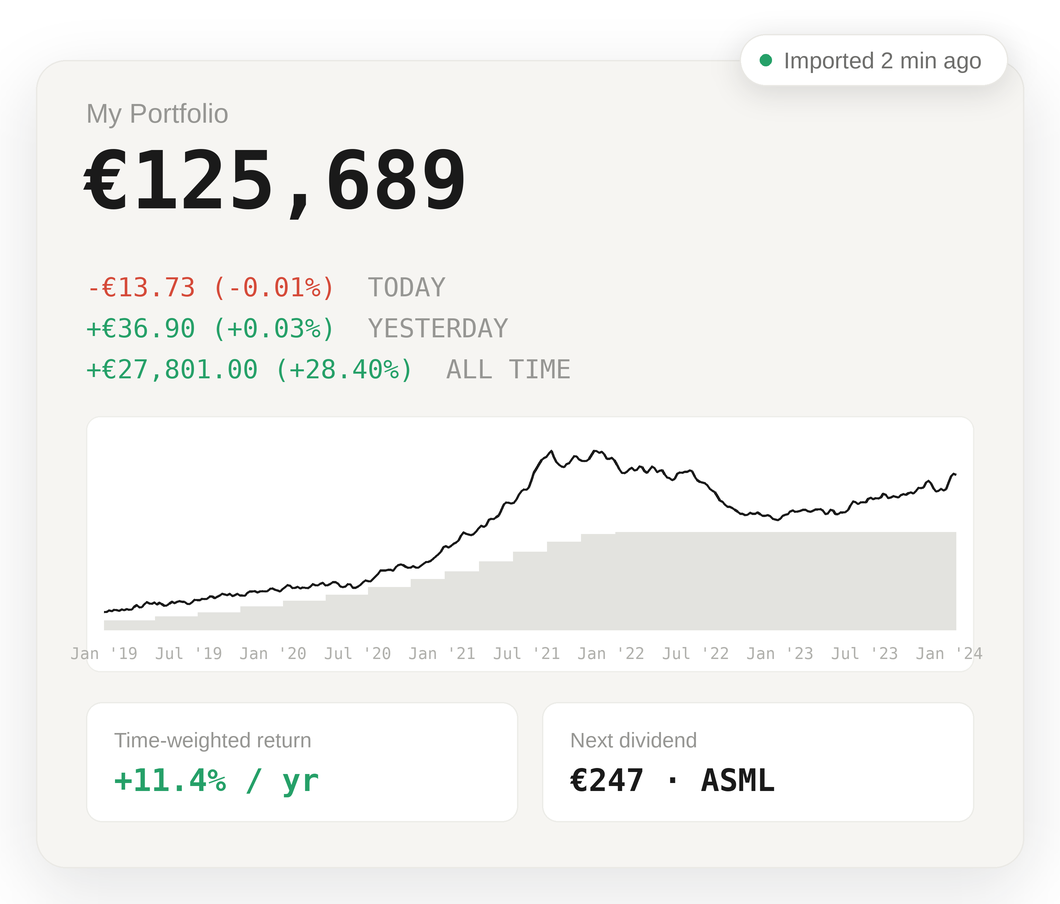
Portseido is a portfolio tracker that covers what investors use Portfolio Performance for, without installing software or managing a data file. Portseido puts powerful analytics in an easy-to-use interface, so you can see everything about your investments at a glance. Measure your performance against any benchmark, follow every past and upcoming dividend, and check your portfolio anywhere on web or mobile.
Every cost and currency in your return
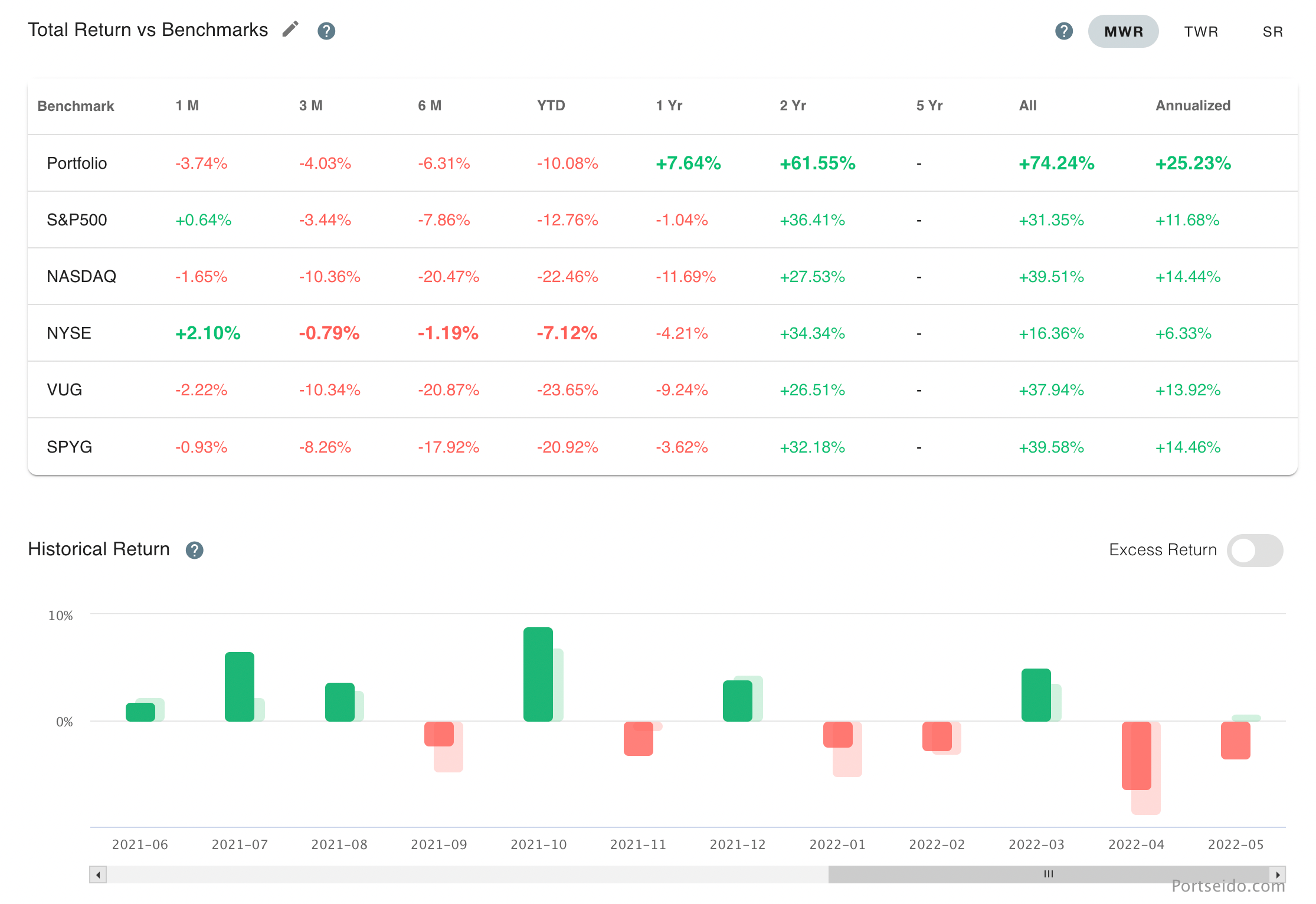
Portseido includes price changes, currency effects, dividends, broker fees and withholding taxes in your return automatically, and reports time-weighted and money-weighted return against the S&P 500 or any index or ETF, in your own currency.
Track anything, anywhere, with nothing to install
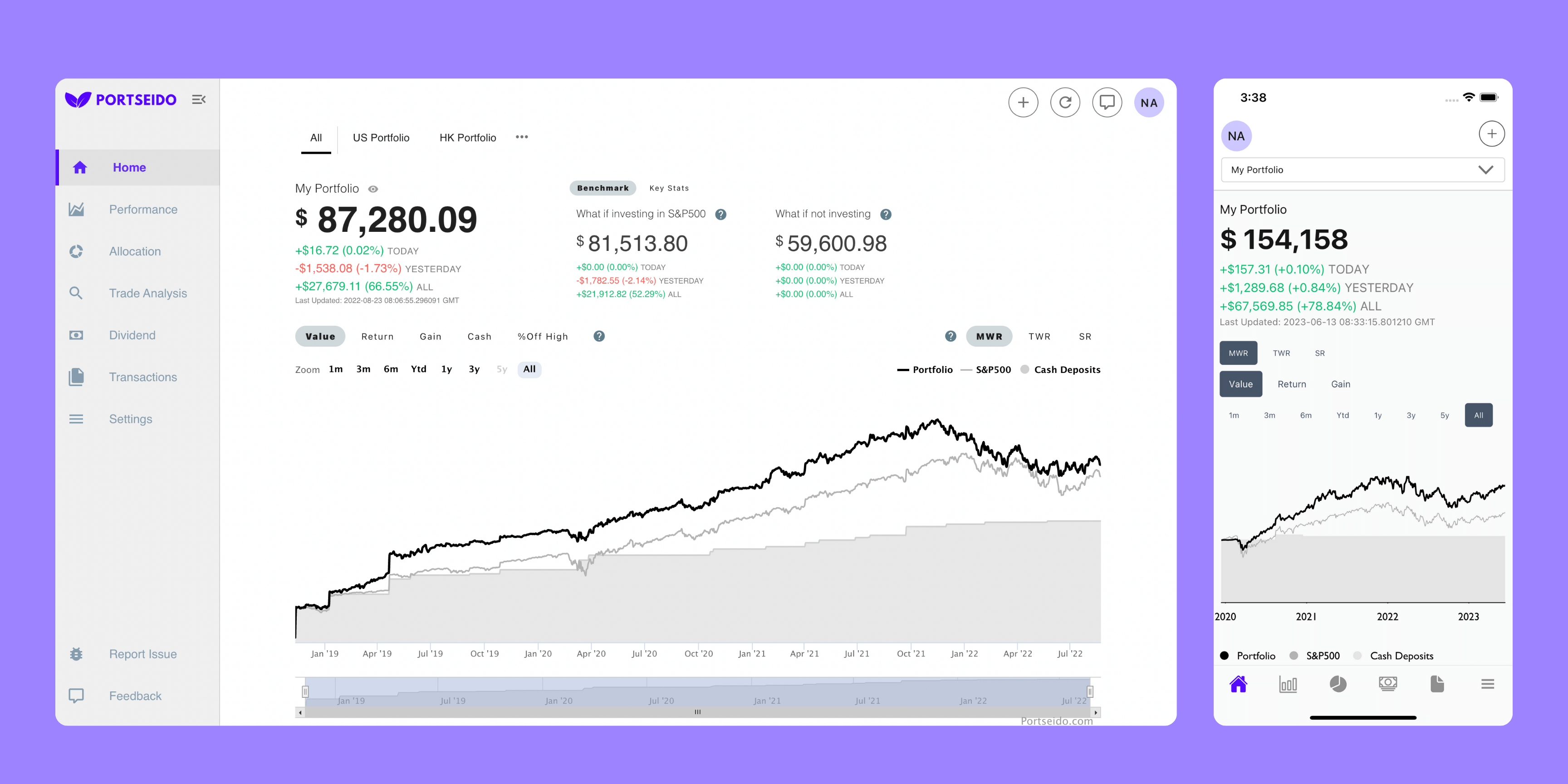
Portfolio Performance is a desktop app built around a data file you manage yourself. Portseido runs in your browser and in the Portseido app for iOS and Android, with prices updated automatically for stocks and ETFs from 70+ exchanges, funds, crypto and custom assets.
All your portfolios, together or apart
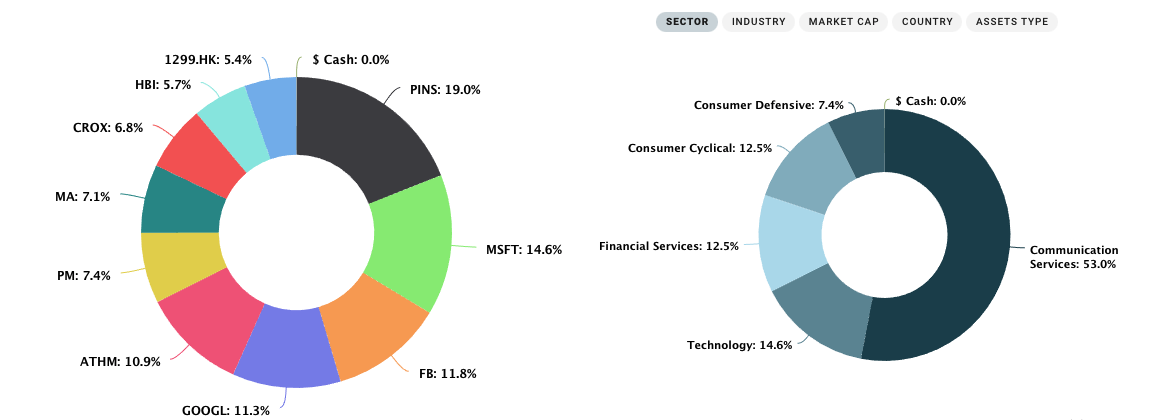
Portseido keeps your current positions, sold positions, cash and dividends in one history. View each portfolio on its own or all of them combined, across every broker you use, with one click.
Portseido vs. Portfolio Performance
| Portfolio Performance | Portseido | |
|---|---|---|
| Runs on | Desktop app | Web, iOS & Android |
| Your data | Local file you manage | Synced across devices |
| Mobile app | View-only companion | Yes |
| Import from broker files | Yes | Yes |
| Automatic broker sync | No | Yes |
| Time- & money-weighted return | Yes | Yes |
| Price | Free, open source | Free plan, then US$8/mo |
Easy to import or migrate from Portfolio Performance
Bring your full transaction history to Portseido, dividends included.









Import from your broker
Connect a supported broker to Portseido for automatic syncing, or import your transaction statements from 100+ brokers worldwide. Either way, Portseido gets your complete history, including fees, currency conversions and dividends.
How to migrate from Portfolio Performance to Portseido
- 01In Portfolio Performance, open File → Export and export the Securities Account Transactions as CSV.
- 02Save the CSV file to your computer.
- 03Upload the CSV to Portseido, which rebuilds your returns, dividends and cost basis from it.
Meet investors who choose Portseido
Investors across 160+ countries track their portfolios with Portseido.
Portfolio Performance alternative FAQ
Is Portseido a good alternative to Portfolio Performance?
Yes, if you want to track your portfolio on any device without managing software or a data file. Portseido runs on web, iOS and Android, updates prices automatically and imports trades from 100+ brokers. If you prefer to keep your data in a local file on your own computer, Portfolio Performance remains a strong choice.
What is the difference between Portseido and Portfolio Performance?
Portfolio Performance is a free, open-source desktop app that stores your portfolio in a local file on your computer, with a view-only mobile companion app. Portseido is an online portfolio tracker: your portfolio is available in the browser and in the Portseido iOS and Android apps, prices update automatically, and transactions can be imported from broker files or synced from supported brokers.
How do I move my data from Portfolio Performance to Portseido?
In Portfolio Performance, open File → Export, export the Securities Account Transactions as CSV and save the file. Upload that file to Portseido, which rebuilds your cost basis, time-weighted and money-weighted return from the transaction history. You can also import directly from your broker's transaction export.
Is Portseido free?
Portseido has a free plan that covers 100 transactions with every report included. Unlimited transactions start at US$8/month billed annually. See the pricing page for details.
Which brokers does Portseido support?
Portseido imports transaction files from 100+ brokers worldwide, including Trade Republic, Scalable Capital, DEGIRO, Trading 212, Smartbroker and XTB. Interactive Brokers and Trading 212 can also sync automatically. See all supported brokers.
Which markets and assets can I track?
Stocks and ETFs from 70+ exchanges worldwide, including the XETRA, NYSE, NASDAQ and LSE, plus funds, cryptocurrencies and custom assets. You can search for your assets before signing up.
Does Portseido have a mobile app?
Yes. Portseido has a mobile app for iOS and Android, available on the App Store and Google Play. The Portseido app stays in sync with your web account, so you can check your portfolio, performance and dividends anywhere.


Find a better alternative to manual portfolio tracking
Import from your broker or from Portfolio Performance, and see your real return in minutes.
Free plan · No credit card required