

The FFB portfolio performance tracker
your broker doesn't give you.

Set up FFB tracking in 60 seconds and see your real return, your allocation, and every upcoming dividend, in any currency. All in one view, with your other portfolios.
Free to start · Easy to set up · No FFB login required.
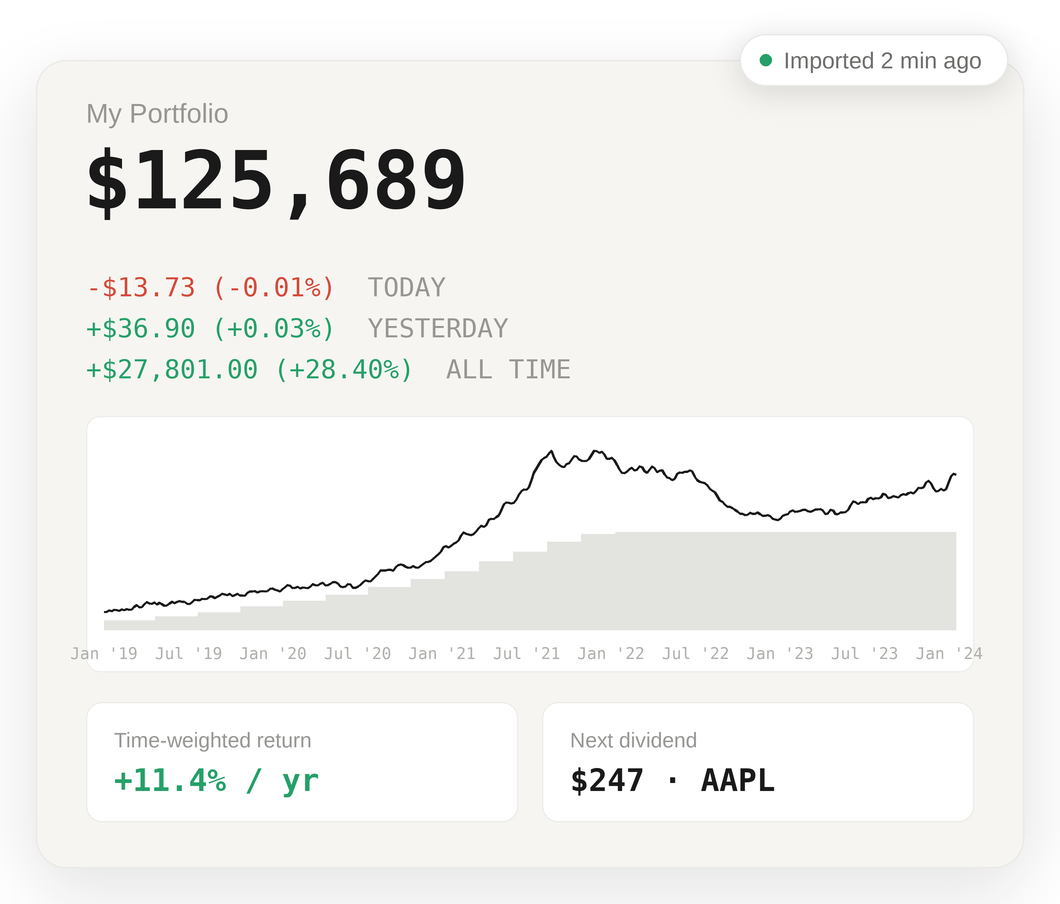
See your FFB portfolio analyzed in 60 seconds.
No plugins. No screen-scraping. Just your CSV.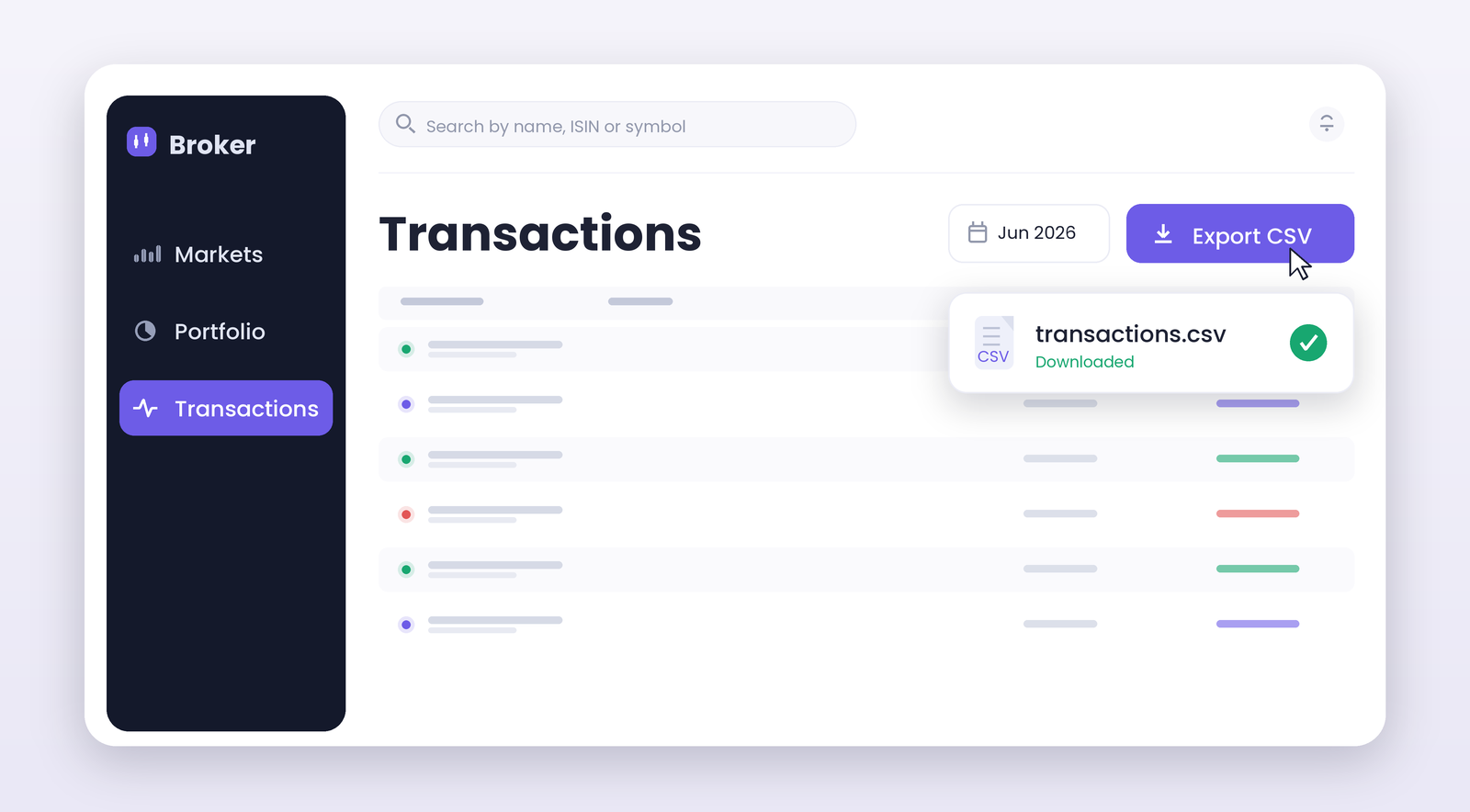
Open the transactions section in FFB, pick your date range, and click Export → CSV.
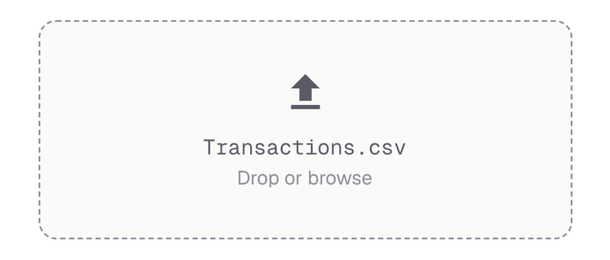
We detect FFB's format automatically. Multi-currency holdings, dividends, and fees are all parsed.
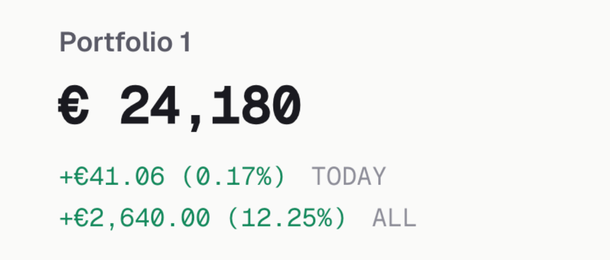
Real return, dividend calendar, and allocation, visible the moment the import finishes.
Am I beating the market, or just depositing more?
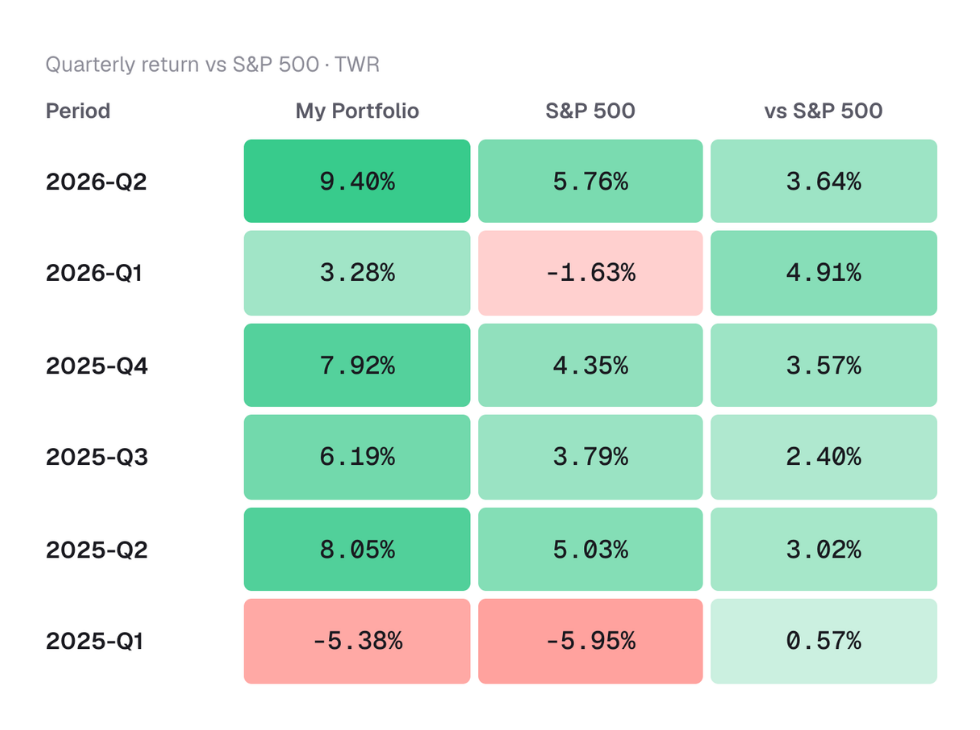
Portseido separates your skill from your savings. We compute Time-Weighted Return (TWR), the return your decisions actually produced, alongside Money-Weighted Return (MWR), which includes the effect of your contributions.
Then we benchmark both against S&P 500, NASDAQ, or any index you pick, in your own currency.
See your FFB dividend income, month by month.
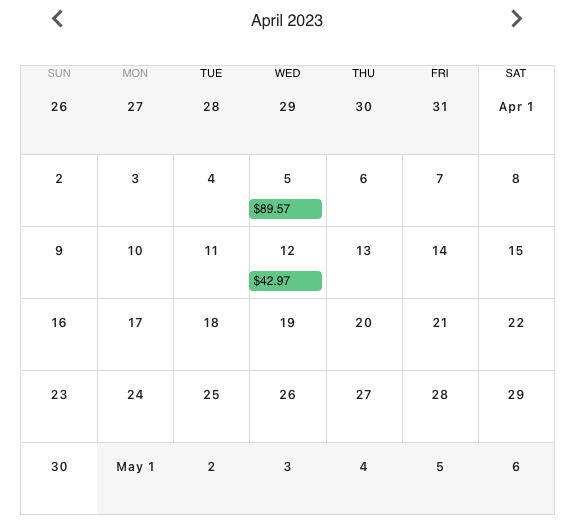
Every dividend is detected from your import and projected forward. See the calendar by timeframe, by holding, or by currency, plus your projected annual income and how it's growing year over year. Prefer a dedicated dividend-only view? See the FFB dividend tracker.
Your full FFB allocation, at a glance.
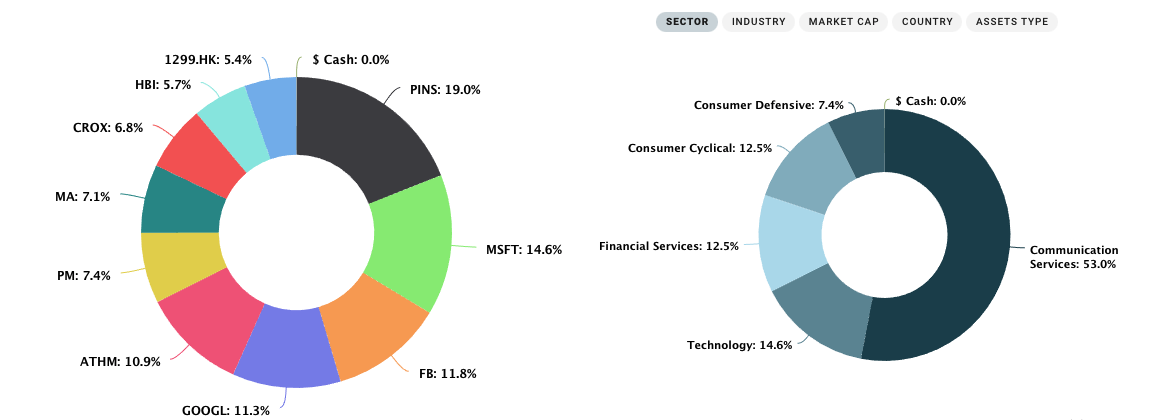
Portseido turns your complete FFB portfolio into one clear allocation chart. Slice by holding or asset class, and spot over- and under-weighted areas instantly.
Portseido vs. FFB's built-in overview
| FFB overview | Portseido | |
|---|---|---|
| True return (TWR & MWR) | No | Yes |
| Benchmark vs your preferred index (S&P 500, NASDAQ…) | No | Yes |
| Forward-looking dividend calendar | No | Yes |
| Multi-portfolio & multi-broker | No | Yes |
| Rebalancing calculator | No | Yes |
| Place trades | Yes | No |
Use FFB to buy. Use Portseido to understand what you bought, and how it's performing.
Built for multi-currency FFB portfolios
Hold US, European, and UK stocks in one account? Portseido automatically tracks foreign-exchange effects and consolidates holdings in any currency into a single base currency you choose, so your total return is finally apples-to-apples.
Meet investors who choose Portseido
Investors across 160+ countries track their portfolios with Portseido.
FFB questions, answered.
Is my FFB data safe?
How often do I need to re-import?
How are currency conversions handled?
See what your FFB portfolio is really doing.
Investors across 160+ countries. One CSV. Sixty seconds.
Start for free · No credit card